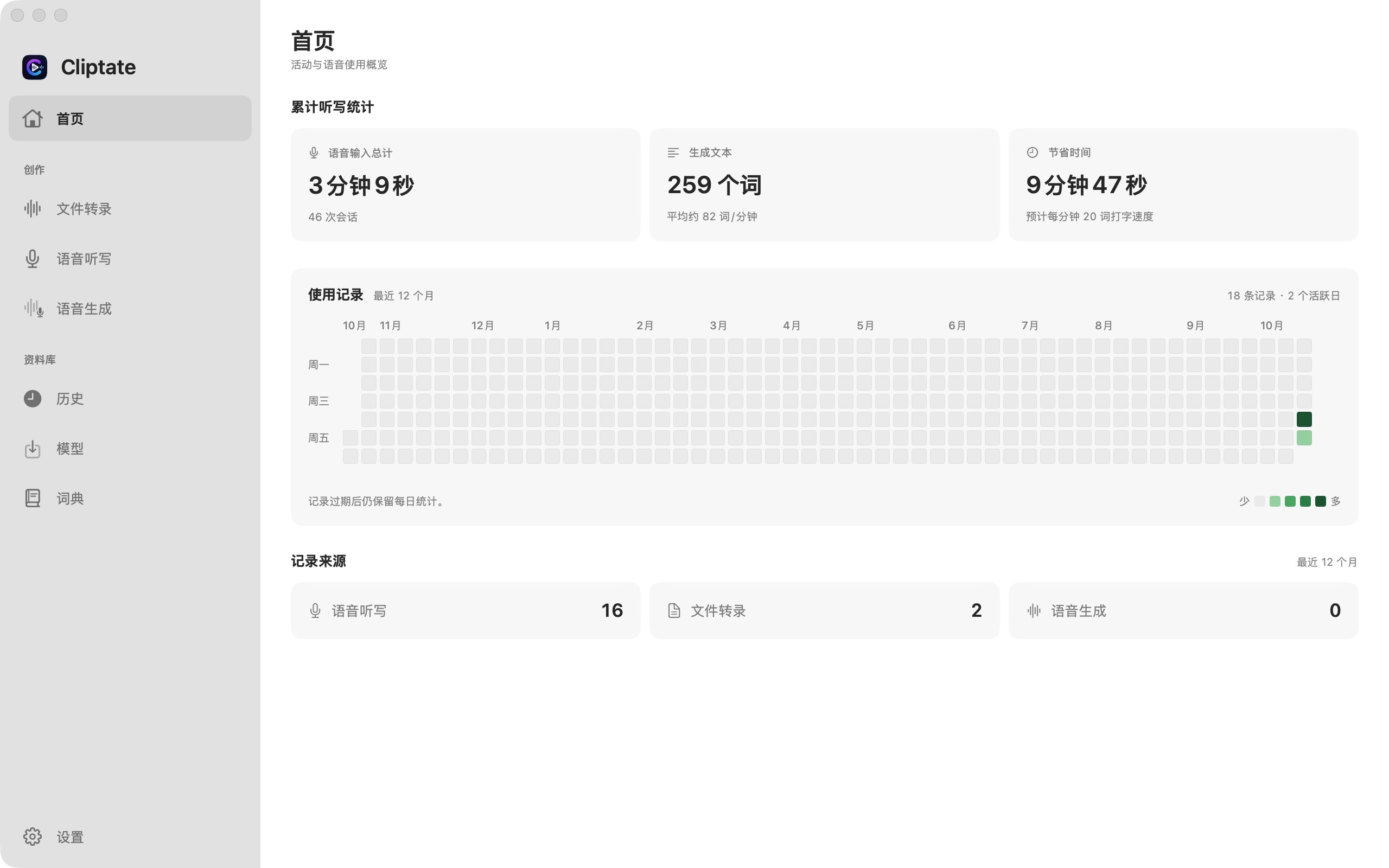
为 Mac 音视频创作者而生 Built for Mac audio and video creators

把剪辑里的机械劳动,交给纯本地 AI。 Move the repetitive editing work to fully local AI.

Cliptate 将实时听写、转写、精剪、增强、TTS 合成与专业导出整合进一条本地链路,让你更快进入叙事。 One on-device pipeline — from dictation to dubbing — so you spend less time on process and more on storytelling.

100% 本地运行 100% local processing 实时听写与 TTS 合成 Live dictation and TTS synthesis 为 Final Cut / Resolve / Premiere 准备 Ready for FCP / Resolve / Premiere 零云端上传 Zero cloud upload

Offline

转写与合成均在设备侧完成 Transcription and synthesis stay on your device

Fast Cut

静音裁剪与粗剪提速 Silence trimming accelerates rough cuts

Speakers

多说话人自动识别与标注 Multi-speaker diarization and labeling

Export

字幕和时间线直接进入后期 Subtitles and timelines hand off cleanly to post

核心能力 Core capabilities

一套面向创作者的端侧 AI 工具链。 One on-device AI toolkit built for creator workflows.

不是散落的单点功能,而是从素材进入到成品导出的完整工作链路。 Not a loose collection of point features, but one continuous pipeline from raw media to final export.

01 转写与听写 Transcription and dictation

字幕提取精准且可编辑 Accurate, editable subtitle extraction

批量转写文件,或切换到实时听写模式口述文本——全程本地,音频不上传。 Batch-transcribe files or dictate live — all on-device, no audio upload.

02 智能精剪 Smart trimming

批量去停顿,粗剪更快成型 Trim pauses in bulk and shape rough cuts faster

自动检测无声片段,批量裁剪播客、访谈、课程录音中的冗余停顿。 Auto-detect silence and bulk-trim dead air from podcasts, interviews, and recordings.

03 说话人识别 Speaker diarization

自动区分说话人,标注对话结构 Auto-identify speakers and label dialogue

自动识别多位说话人并分段标注,让访谈、播客和会议记录的结构一目了然。 Automatically identify and label multiple speakers so interviews, podcasts, and meeting transcripts are instantly clear.

04 TTS 合成 Voice synthesis

四种模式覆盖从补录到原创配音的全部需求 Four TTS modes from pick-ups to original voice creation

预设音色、声音克隆、情感控制、音色设计——四种模式,按需选用。 Preset, clone, emotion control, or voice design — four modes for any voicing need.

05 纠错翻译 Correction and translation

上下文纠错与即时多语翻译 Context-aware correction with instant translation

在文本层完成语义修正,再生成面向全球受众的多语言内容。 Correct transcripts contextually before producing multilingual deliverables.

06 高亮标记 Highlighting

自动抓出关键句与高光片段 Surface the lines and moments worth revisiting

把精彩片段主动标记到时间线,更快找到可发布的内容段落。 Flag the strongest moments on the timeline so publishing edits move faster.

语音能力 Voice capabilities

实时听写与本地多模态语音合成。 Real-time dictation and on-device multi-mode voice synthesis.

从实时口述到 TTS 配音,两种语音能力,全程本地。 From live dictation to TTS dubbing — two voice capabilities, entirely on-device.

语音听写 Voice dictation

说话即输入,实时生成可编辑文本 Speak to type — editable text in real time

实时流式转写麦克风音频,支持多说话人识别与自定义词典,全局快捷键随时唤起。 Stream editable text from your mic in real time, with multi-speaker support, custom vocabulary, and a global shortcut.

  • 流式实时转写,低延迟输出 Streaming transcription with minimal latency
  • 多说话人自动区分与标注 Automatic multi-speaker diarization
  • 自定义词典,提升专有词汇准确率 Custom vocabulary for domain-specific accuracy
  • 全局快捷键随时唤起或暂停 Global shortcut to invoke or pause anywhere

TTS 语音合成 TTS voice synthesis

四种模式,按需选用 Four modes for every voicing need

Preset

预设音色 Preset voices

内置多语言音色库,即开即用。 Built-in multilingual voices, ready instantly.

Clone

声音克隆 Voice clone

上传参考音频,复现音色与节奏。 Upload reference audio to reproduce timbre and cadence.

Emotion

情感控制 Emotion control

通过提示词调控音色的情感与风格。 Steer emotion and style via text prompts.

Design

音色设计 Voice design

用文字描述,生成原创声音形象。 Describe a voice in text to generate an original persona.

工作流 Workflow

从导入到导出,保持一条稳定高速的生产线。 From import to export, keep the workflow in one fast production line.

把创作者最耗时的步骤,压缩成四个连续动作。 The most time-consuming creator tasks, compressed into four connected steps.

01

导入常见音视频素材 Import common audio and video formats

把播客、Vlog、访谈或会议录音直接拖进工作区。 Drop podcasts, vlogs, interviews, or meeting recordings straight into the workspace.

02

转写、去停顿、纠错同步进行 Transcribe, trim pauses, and correct in parallel

减少在不同工具之间来回切换,第一轮粗剪就更接近可交付状态。 Avoid bouncing between tools so the first cut lands much closer to delivery-ready.

03

生成多语配音与翻译版本 Create multilingual dubbed and translated versions

通过 TTS 合成完成配音,再交由翻译模块生成多语版本。 Use TTS synthesis for dubbing, then branch into translated versions.

04

导出时间线与字幕文件 Export timelines and subtitle files

把 FCPXML、SRT、ASS、VTT 直接交给 Final Cut Pro、DaVinci Resolve 和 Premiere Pro。 Hand off FCPXML, SRT, ASS, and VTT directly to Final Cut Pro, DaVinci Resolve, and Premiere Pro.

隐私与性能 Privacy and performance

完全本地,不只是更安全,也更顺手。 Fully local means more than privacy. It means a smoother workflow.

没有云端排队,没有素材上传,没有网络等待。 No cloud queue. No media upload. No network wait.

  • 素材不离开设备,适合隐私敏感内容。 Media stays on-device — safe for sensitive and regulated content.
  • 网络波动不影响创作节奏。 Network issues never disrupt your workflow.
  • 端侧模型直接嵌入后期流程,无需切换平台。 On-device models fit into your existing post workflow.
  • 适合播客、课程、访谈和企业内部内容。 Ideal for podcasts, courses, interviews, and internal media.

专业输出 Professional output

无缝衔接你已经在用的剪辑软件。 Plug directly into the editing tools you already use.

不需要为了 AI 处理重建后期链路,格式直接兼容。 No need to rebuild your post stack — formats plug straight in.

FCPXML 适配时间线工程交换 Timeline project exchange
SRT 通用字幕交付 Universal subtitle delivery
ASS 样式化字幕支持 Styled subtitle support
VTT 网页与平台字幕 Web and platform captions
兼容 Final Cut Pro、DaVinci Resolve、Premiere Pro 及常见分发平台。 Compatible with Final Cut Pro, DaVinci Resolve, Premiere Pro, and common distribution platforms.

适用场景 Use cases

为播客、Vlog、课程、访谈和多语内容准备。 Ready for podcasts, vlogs, courses, interviews, and multilingual content.

播客与人物访谈 Podcasts and interviews

快速去停顿、补齐字幕并整理可发布片段。 Trim dead air, add captions, and identify publishable moments faster.

Vlog 与短视频 Vlogs and short-form video

让口播与粗剪更顺滑,把精力重新放回节奏和表达。 Make talking-head edits smoother and keep attention on pacing and expression.

课程、会议与口述记录 Courses, meetings, and dictation

把长时录音或实时语音输入压缩成可检索、可翻译、可交付的文本与字幕资产。 Turn long recordings or live voice input into searchable, translatable, and deliverable text assets.

多语种配音 Multilingual dubbing

在保留原始表达质感的同时,更快生成新的语言版本。 Ship alternate language versions faster while preserving expressive tone.

现在开始 Start now

把时间留给创作,把繁杂留给 Cliptate。 Keep your time for creation and let Cliptate absorb the busywork.

在 Mac 上把从听写到导出的全流程压缩到 Cliptate。 Compress your entire Mac workflow — dictation to export — into one app.